Content
New SaaS-based Two-Factor Authentication (2FA)
Employee Shift Hours Report – 31-Day Month Enhancement
Applicant Detail Report: Mobile Number and DOB Visibility
Connect with Xeep (Chatbot) Available in the Staff Portal
Increased Character Limit for Applicant and Member Name
1. New SaaS-based Two-Factor Authentication (2FA)
Two-Factor Authentication (2FA) is a security feature that adds an extra layer of protection when signing in to the Staff Portal. In addition to your Login ID & Password submission, the system requires a second verification method such as an Authenticator App, Email OTP, SMS OTP, or Security Questions. This helps prevent unauthorised access and ensures secure login across the platform.
We have introduced a new SaaS-based Two-Factor Authentication (2FA) system. The previous 2FA system has been replaced with a more secure, reliable, and user-friendly solution that works consistently across all portals.
- Manage Two-Factor Authentication (2FA)
- Admin Configuration – Two-Factor Authentication: Administrators can enable or configure Two-Factor Authentication (2FA) from Main Masters – Two-Factor Authentication. This allows organisations to define authentication policies, default verification methods, security questions, and device authentication duration for users.
- 2FA Overview and Navigation: When your administrator enables 2FA, you will be prompted to begin the authentication setup the first time you sign in to the Staff Portal.
-
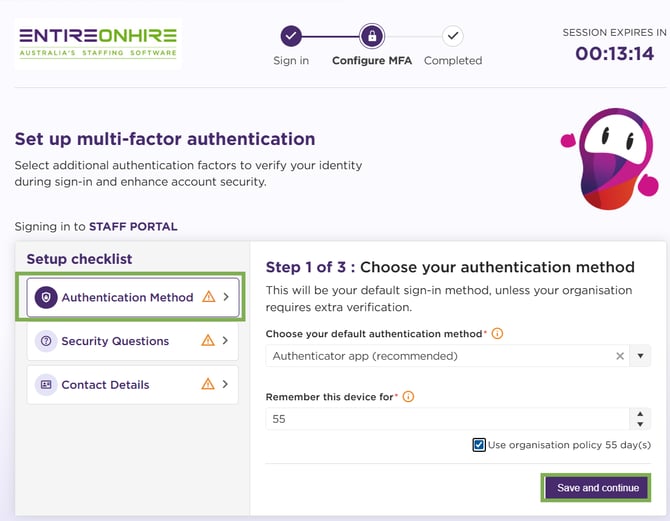
Setting 2FA (First-Time Login): During the setup process, you select your preferred verification method and configure the required security details to complete your 2FA configuration.
- Two-Factor Authentication (2FA) - Users Level Settings: You can enable or disable Two-Factor Authentication (2FA) from your account’s security settings by opening the 2FA section, updating the toggle, and saving the change.
- Signing In the Next Time (Regular Login) - 2FA: After completing the initial setup, you will only need to complete the verification step when signing in. The system will ask for your configured verification method before granting access to the Staff Portal.
- Revoke Authenticator Access: Your administrator can revoke your authenticator access if the authentication setup needs to be reset. When this happens, you will be asked to set up the authenticator again during your next sign-in.
- Supported 2FA Methods: You can verify your identity using any of the supported authentication methods, depending on your organisation’s policy. Supported methods include:
2. Employee Shift Hours Report – 31-Day Month Enhancement
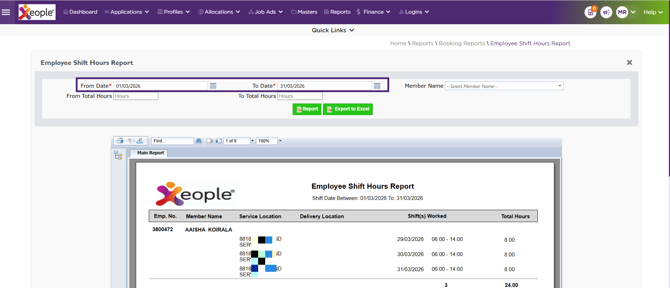
The Employee Shift Hours Report is enhanced to align with calendar months.
- The reporting period is extended from 30 days to 31 days.
- This ensures accurate capture of total hours, shift durations, and shift dates for months with 31 days.
This improvement enhances reporting accuracy and provides better alignment with standard calendar periods.
3. Applicant Detail Report: Mobile Number and DOB Visibility
Access to sensitive applicant information is enhanced with role-based controls.
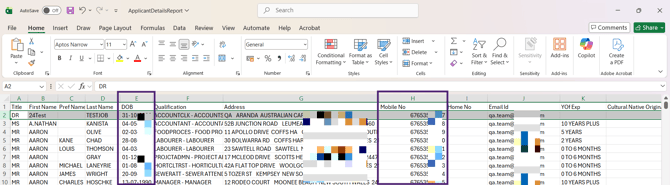
- When the staff role is Admin, the Mobile Number and DOB (Date of Birth) fields are visible.
- For all other roles, these fields remain restricted in both the front-end report and the Excel export.
This ensures sensitive data is accessible only to authorised users while maintaining data privacy.
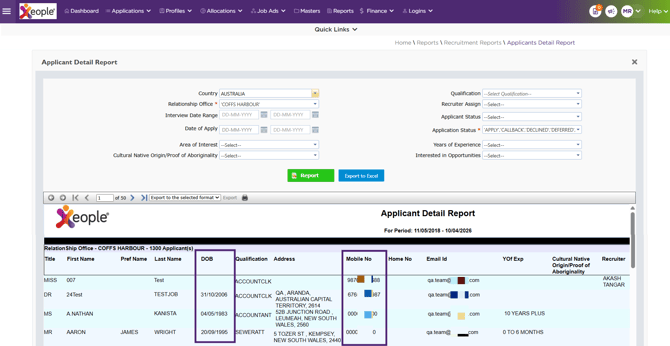
The DOB and Mobile No are visible to Admin staff in the downloaded Excel report.
4. Connect with Xeep (Chatbot) Available in Staff Portal
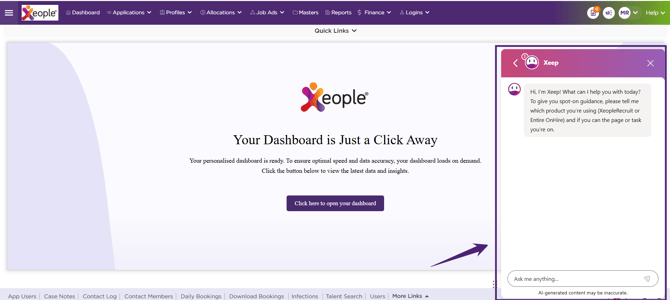
A chatbot is introduced in the Staff Portal to enhance access to support.
- The chatbot is available by default on the Home / Announcement page.
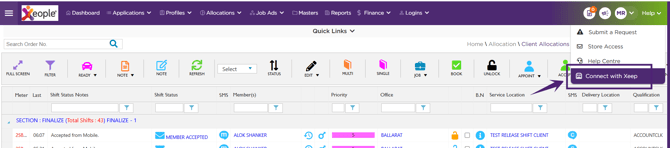
- On all other pages, it can be accessed via Help → Connect with Xeep.
5. Increased Character Limit for Applicant and Member Name
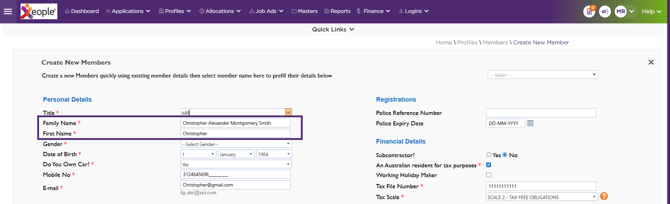
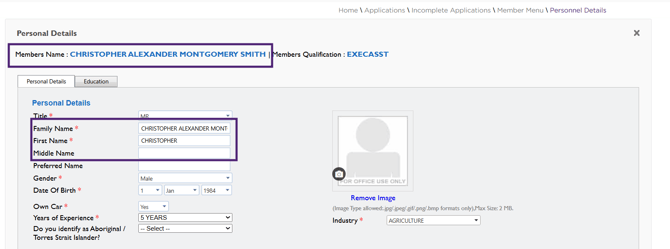
The character limit for Applicant and Member name fields is increased to support longer names. The maximum limit for the Family Name, Given Name, and First Name fields is now 40 characters, and this change is reflected across the screens listed below.
- Staff Portal – Create New Member
- Applicant/Member Profile Page
- Applicant Portal – Applicant Profile Page
- Member App – Profile Page
This enhancement ensures better support for longer names while maintaining consistency across all system outputs.