
The highlighting features available on the Staff Preferences page:
-
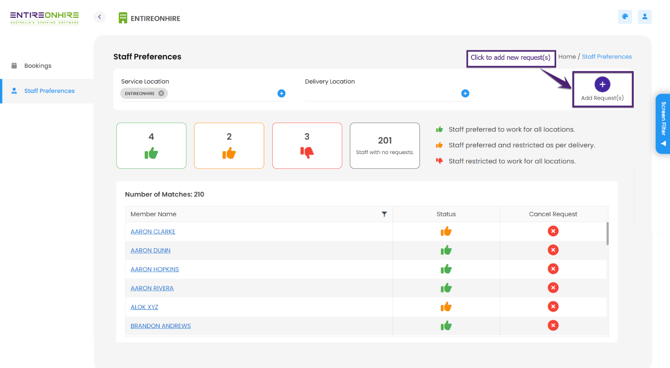
The preferences/restrictions are graphically represented and show the following details:

-
The Member Name shows the list of members who have worked for (been before personnel) the selected location. When you click the member's name, the member's personnel card opens.

-
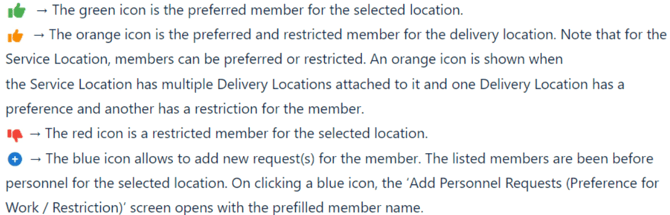
The Status of the member is graphically shown and indicates:
For multiple preferences/restrictions for the member, clicking the edit icon will open the ‘Client Request(s) for Staff’ screen. This screen will have all the preferences/restrictions for the member.
4. In the Service Location, select the required Service Location to check Staff
Preferences. By default, the Service Location is selected in case the professional is
linked with a single client.
5. The Delivery Location shows the list of available Delivery Location(s) associated
with the selected Service Location.
6. Cancel Request will cancel single or multiple requests.
 Back to Staff Preferences in the Client Portal 2.0