
Shift documents must be uploaded from the Allocations screen. These documents are specific to an individual shift and apply only for the duration of that shift.
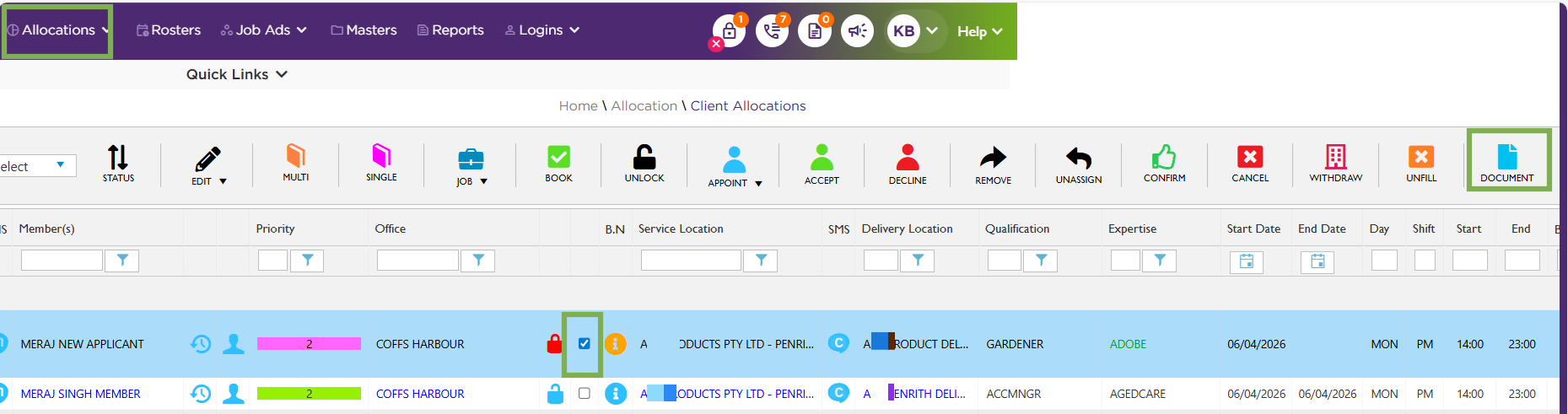
Allocations – Shift – Document
Client Location documents attached to the Client Details page are visible only to members working at that specific client location.
(Example: Facility Orientation for that client location can be attached here. So that, all members who are going to work at that location can view them in their Apps). To show the Location documents, the settings have to be enabled under client management settings.
Recommend Reading: How to add a Location document in detail, click here: How to Upload a Location Document.
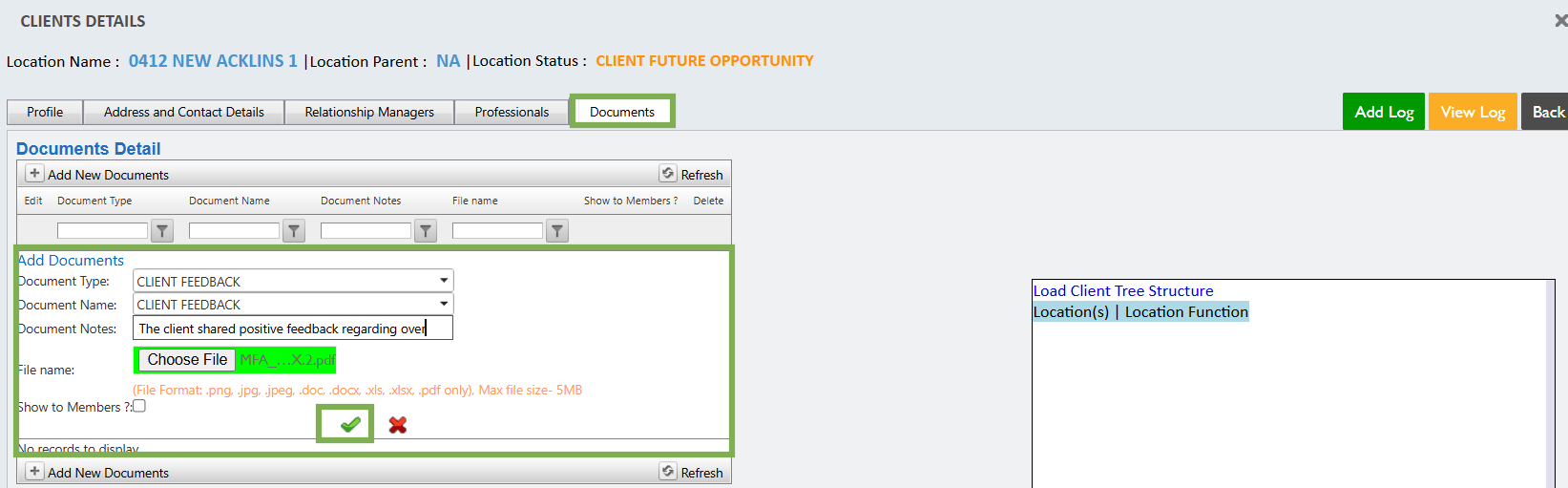
Quick Link - Client – Documents – Add Document
Back to Top