
Content
1. Requests & Restrictions: Shift Creation and Release Restricted During Active Member
Restrictions
2. Assign Members: Duplicate Member Entries No Longer Displayed
3. Competency Interview Questions: Responses No Longer Copied Between Questions
4. Shift Booking Report: All Selected Filter Results Now Displayed
5. New Client Portal: Updated Email Subject for Member Shift Edit Notifications
6. Client Allocations: SMS Template Message Now Displayed Correctly
7. Incomplete Applications: Apply Date Filter Now Sorts Records by Date and Time
8. Client Allocations: Members Now Display Correctly in the Assign Members List Based
on Availability
9. Staff Portal: MFA Login Now Works Correctly Across Desktop and Mobile Devices
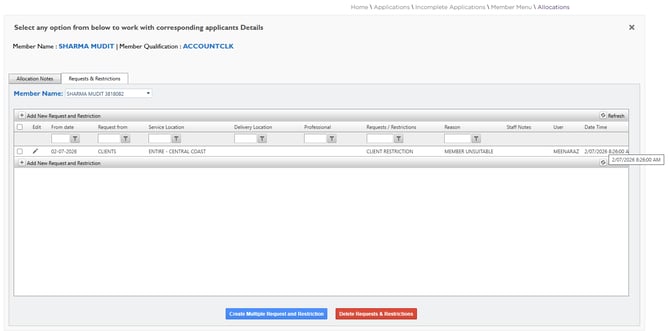
1. Requests & Restrictions: Members with Active Restrictions Cannot Receive or Accept Shifts Created After the Restriction Start Date and Time - ✅ Resolved
Issue resolved. The system now correctly enforces member restrictions configured in the Requests & Restrictions list. When a member has an active restriction, they cannot receive or accept shifts created or released during the restricted date and time.
This includes shifts that are created on the same date as the restriction. If a shift is created after the restriction start date and time, it cannot be received or accepted by the restricted member.
This ensures that members cannot receive or accept shifts while the restriction is in effect.
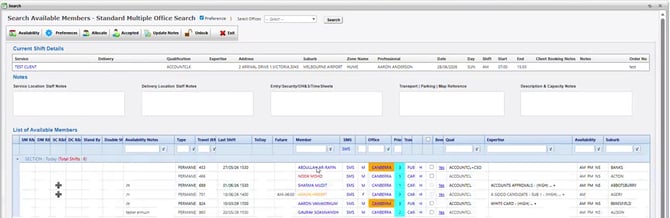
2. Assign Members: Duplicate Member Entries No Longer Displayed - ✅ Resolved
Issue resolved. In Client Allocations → Assign Members, each member is now displayed only once, even when multiple contact outcomes (such as No Answer and Left Message) are recorded through the Member Contact Card.
This improvement applies to all Assign Members searches, ensuring members are displayed consistently without duplicate entries.
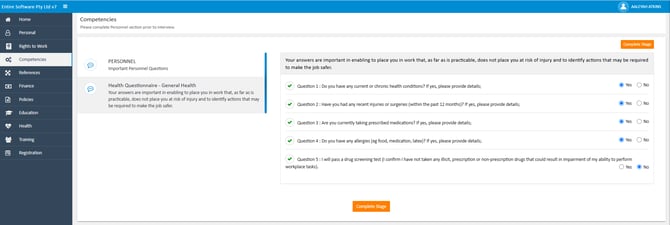
3. Competency Interview Questions: Responses No Longer Copied Between Questions - ✅ Resolved
Issue resolved. The Competencies questionnaire in the Applicant Portal now correctly retains responses against the selected competency question. When an applicant changes an answer from No to Yes, the response is no longer copied or carried over to other competency questions.
Required responses are now accurately validated before the application can proceed, ensuring all mandatory information is completed.
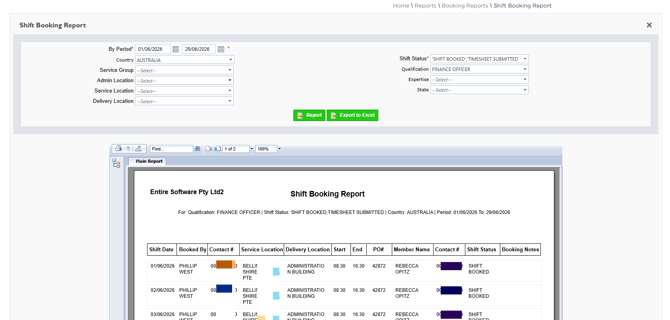
4. Shift Booking Report: All Selected Filter Results Now Displayed – ✅ Resolved
Issue resolved. In the Staff Portal, Reports → Shift Booking Report now correctly displays all shifts that match the selected filters, including Shift Status, Qualification, and Expertise.
5. New Client Portal: Updated Email Subject for Member Shift Edit Notifications - ✅ Resolved
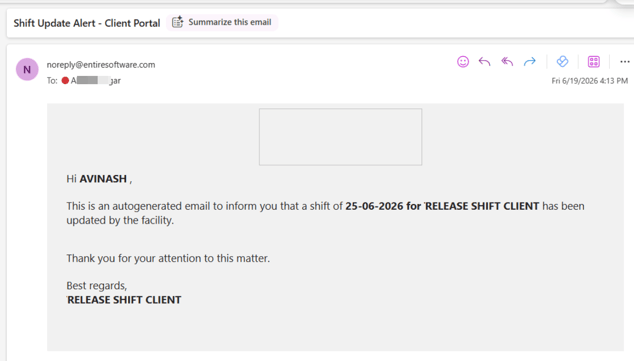
Issue resolved. In the New Client Portal, when a shift is edited and a notification is sent to the members, the email now consistently uses the subject line - 'Shift Update Alert - Client Portal' across all shift types.
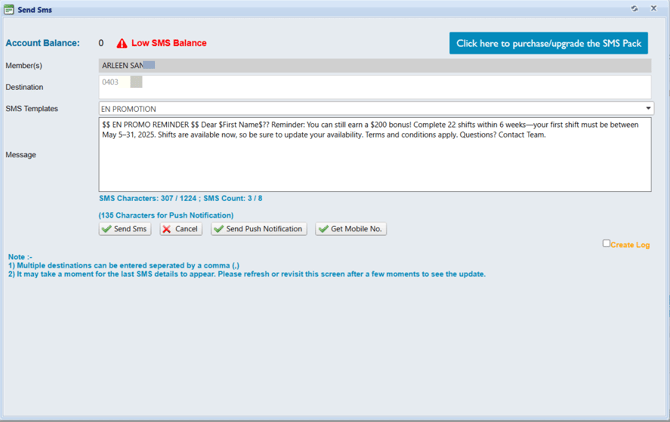
6. Client Allocations: SMS Template Message Now Displayed Correctly - ✅ Resolved
Issue resolved. In Client Allocations, the content of the selected SMS template is now displayed correctly, allowing users to review the message before sharing it with members.
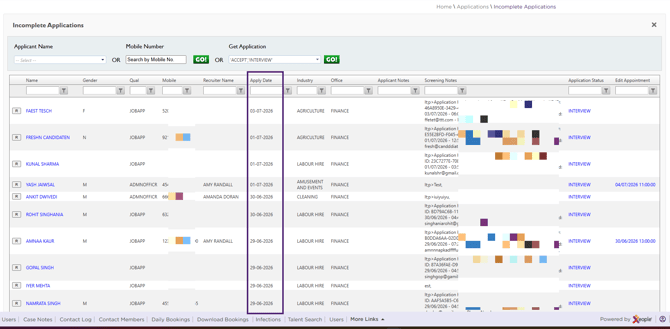
7. Incomplete Applications: Apply Date Filter Now Sorts Records by Date and Time – ✅ Resolved
Issue resolved. In Applications → Incomplete Applications of the Staff Portal, the records are now correctly sorted by date and time when the Apply Date filter is used, ensuring incomplete applications are displayed in the expected chronological order.
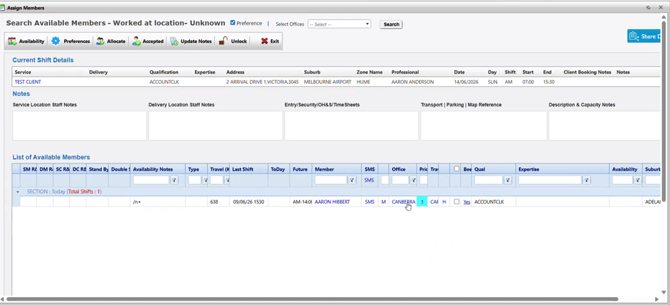
8. Client Allocations: Members Now Display Correctly in the Assign Members Screen Based on Availability – ✅ Resolved Issue
Issue resolved. In Client Allocations, the Assign Members screen now displays members in the List of Available Members according to the Permanent Availability and Casual Availability settings configured on the Members Availability screen in the Staff Portal.
The standard search also filters members based on these availability settings, ensuring that only members who match the selected availability criteria are displayed in the search results.
9. Staff Portal: MFA Login Now Works Correctly Across Desktop and Mobile Devices for Users Accessing from Different Geographic Locations– ✅ Resolved
Issue resolved. Users can now successfully access the Staff Portal using Multi-Factor Authentication (MFA) from both desktop and mobile devices, regardless of their geographic location. The login process works as expected across all supported devices and locations.