Content
1. Edit Compliance Notes for Members in Personnel Card
2. Member Priority Updated and Logged Correctly
3. Sub Expertise Mapping Correctly with Member Qualification
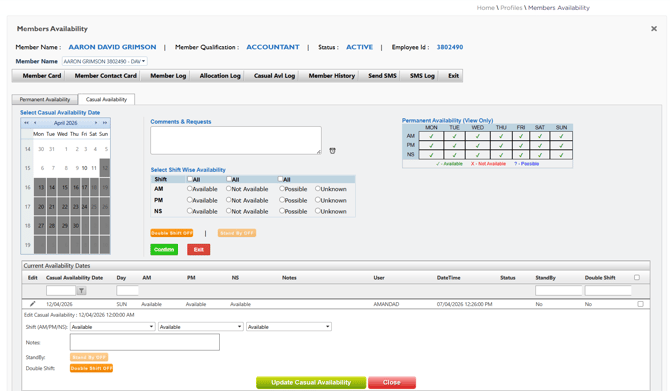
4. Workforce App: Standby Button Disabled Based on Member Priority
5. Electronic Visa Check Displays Correct Result and Status
6. Stay Signed In Functionality from Login Screen — Removed
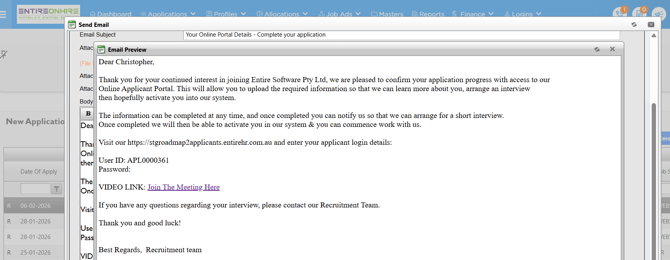
7. Interview Confirmation Email – Meeting/ Video Link Issue
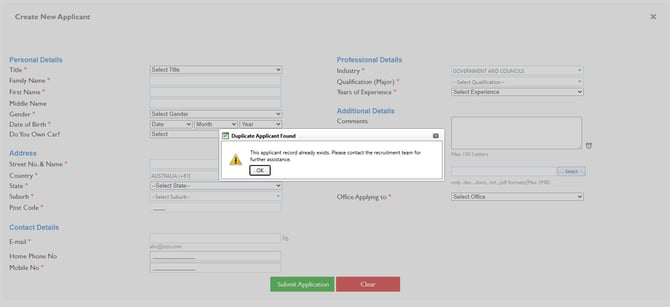
8. Duplicate Applicant Prevention on Multiple Submissions
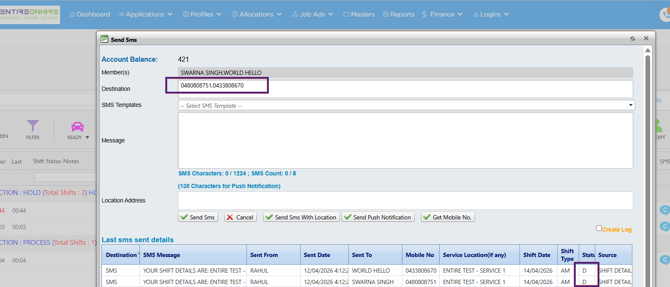
9. Multiple SMS Delivery from Client Allocation Screen
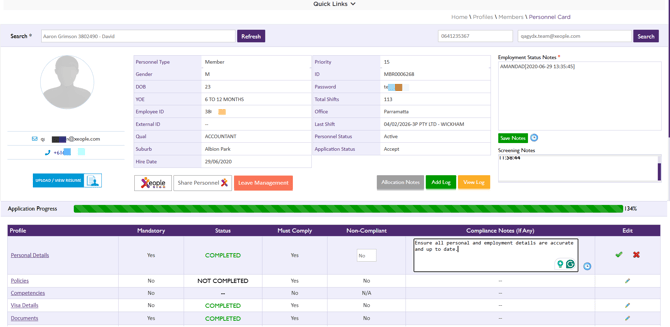
1. Edit Compliance Notes for Members in Personnel Card- ✅ Resolved
Issue resolved. Compliance Notes in the Personnel Card within the Staff Portal can now be edited without any issues. This ensures smooth and reliable updates to member compliance information.
2. Member Priority Update Logged When Removed from Shift - ✅ Resolved
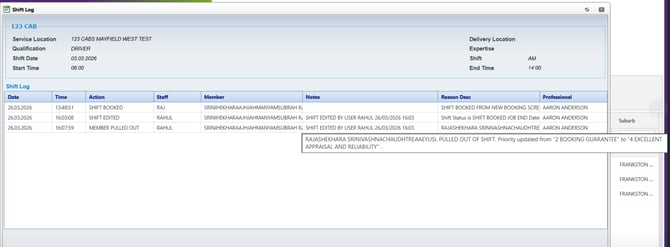
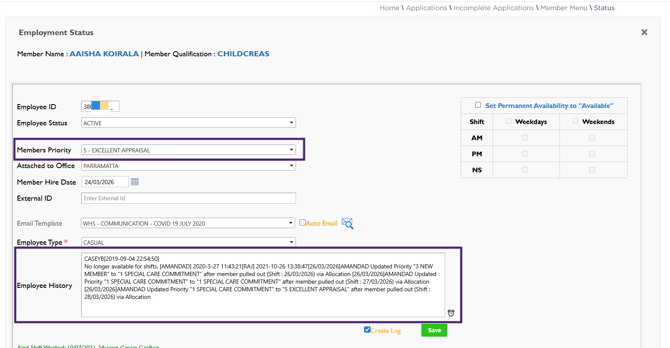
Issue resolved. When a member is pulled out of a shift, their priority is now automatically tracked. To ensure visibility, this change is recorded in both the Shift Log and the Employment Status page.
The Shift Log below shows the log details when the member is pulled out of the shift, and their priority is updated.
Similarly, the Employee History section within the Employment Status page captures the same update, providing a consistent audit trail of the change.
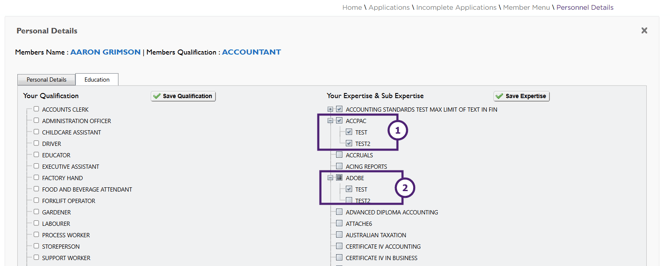
3. Accurate Sub Expertise Mapping to Parent Expertise -✅ Resolved
Issue resolved. Sub Expertise is now correctly linked to its respective parent Expertise for a member’s qualification, including scenarios where identical Sub Expertise names exist.
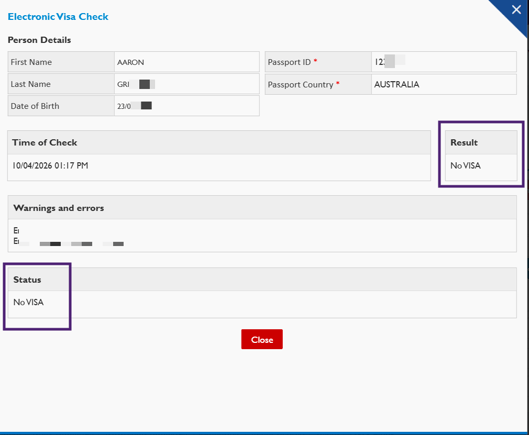
5. Electronic Visa Check Displays Correct Result and Status - ✅ Resolved
Issue resolved. In the Employment Details page, when using Check Visa Electronically, the visa Result and Status now display correctly. This ensures accurate and consistent visa verification status for members.
- For a successful check, the Result and Status are displayed as ‘OK’ and ‘Completed’, respectively.
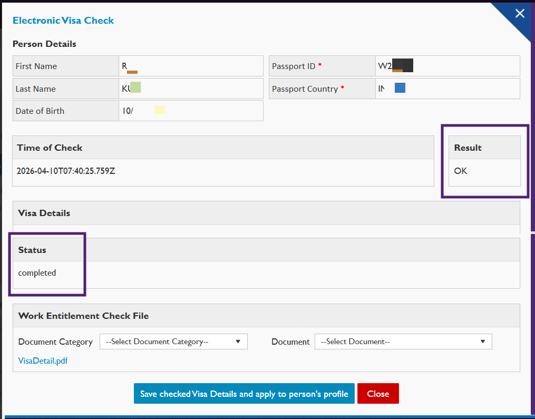
- For an unsuccessful check, the Result and Status are displayed as ‘No Visa’.