Content
Shift Booking Notes Visibility Now Correctly Aligns Between Staff Portal and Client Portals
Restriction Applied from the Correct Effective Date
Finance Portal – Documents Exported Successfully Using Folder Names with Dot
Client Allocations - Timesheet Submitted Status Option Removed
Workforce App - Worked Hours Displayed Correctly in Shift History and Timesheet Image
Workforce App - Submit Roster Between Job Start and End Dates
Override Member Compliance Report Displays Overridden Shift Details
SEEK – Job Update and Job Expiry Working Correctly
Incomplete Task Icon Displays Accurate Count of Outstanding Tasks
Reference Check Working Correctly Across All Platforms
Unlock Shift Icon Now Displays Locked Shift Count in Staff Portal
1. Shift Booking Notes Visibility Now Correctly Aligns Between Staff Portal and Client Portals - ✅ Resolved
Issue Resolved. Booking Notes visibility between the Staff Portal and both the New and Old Client Portals has been updated to ensure the notes are displayed only to the intended audience, based on how and where the booking is created or managed.
-
Case 1: Booking Notes in Existing Shifts - For shifts that have already been created, if the 'Show to Client' option is not selected for Booking Notes in the Staff Portal, the Booking Notes will not be visible in both client portals.
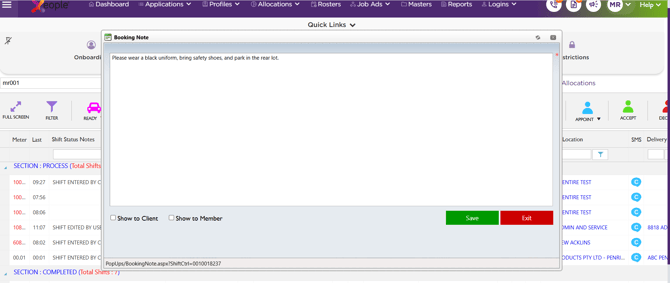
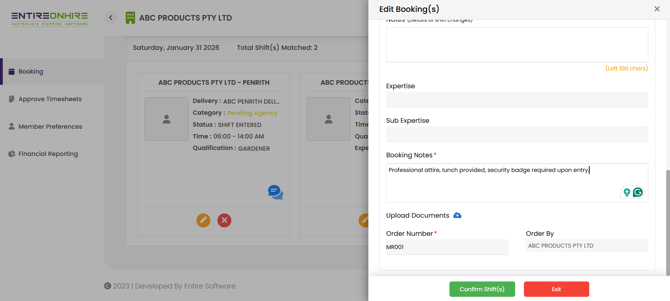
- Case 2: Client-Entered Booking Notes - When a client creates a booking in either the New or Old Client Portal and enters Booking Notes, the system now automatically selects the 'Show to Client' option for that shift in the Staff Portal, ensuring visibility is aligned with the client’s entry.
This behaviour applies to both single and multi-bookings.
2. Restriction Applied from the Correct Effective Date - ✅ Resolved
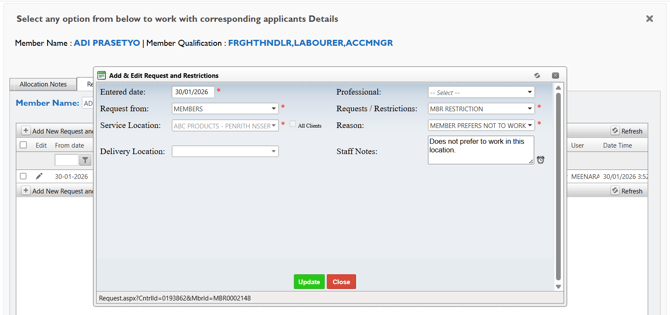
Issue resolved. Member and client restrictions are now applied from the Entered Date specified in the Add & Edit Request and Restrictions screen. This ensures restrictions will start on the intended date and will be enforced consistently across the system.
This update prevents restrictions from being applied earlier or later than the configured effective date across all relevant areas of the system, including Edit Shift, Allocation Searches, Single Booking, Multiple Booking, Booking Ratio, and the Workforce App.
3. Finance Portal – Documents Exported Successfully Using Folder Names with Dot - ✅ Resolved
Issue resolved. In the Finance Portal, staff can now successfully export and save documents using folder names that include a dot (.), such as the standard firstname.lastname format. All exported documents are correctly organised into the corresponding folders, ensuring a consistent folder structure and making files easier to locate when saving or accessing them.
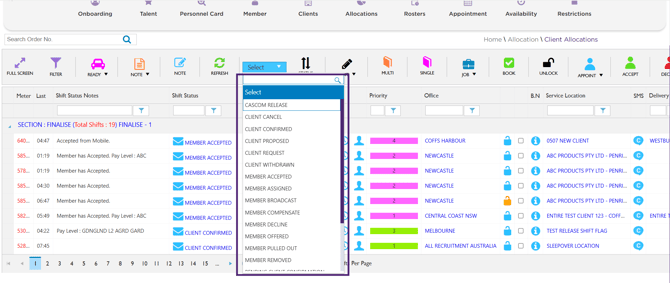
4. Client Allocations - Timesheet Submitted Status Option Removed - ✅ Resolved
Issue resolved. The 'Timesheet Submitted' Status option has been removed from the Client Allocations page in the Staff Portal. This update ensures the page displays only relevant and applicable status options, reducing confusion and improving usability when managing allocations.
5. Workforce App - Worked Hours Displayed Correctly in Shift History and Timesheet Image - ✅ Resolved
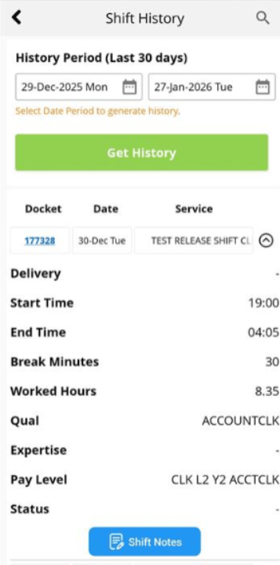
Issue resolved. In the Workforce App, the Shift History and Timesheet Image now display consistent and accurate worked hours. Both views use the same hour-based format, ensuring clarity and consistency when reviewing worked hours.
This update eliminates discrepancies between timesheet views and improves accuracy and confidence for users reviewing or submitting their hours.
6. Workforce App - Submit Roster Between Job Start and End Dates - ✅ Resolved
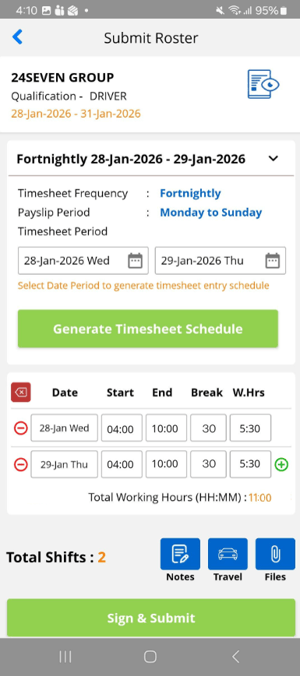
Issue resolved. Members can now submit rosters for unmanaged jobs at any time between the job start date and job end date via the Workforce App. This ensures roster submissions are available throughout the active job period, providing greater flexibility and a smoother submission experience.
Note:
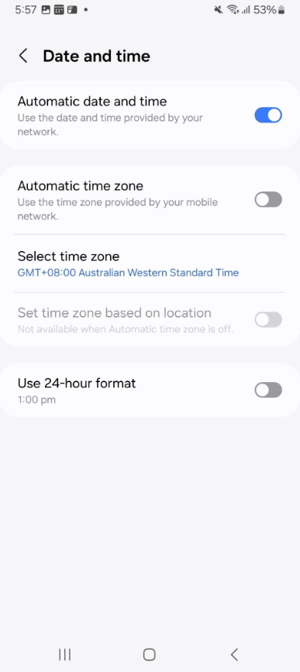
Note: To ensure accurate submission availability, make sure your mobile device is set to the correct time zone.
|
|
 |
7. Override Member Compliance Report Displays Overridden Shift Details - ✅ Resolved
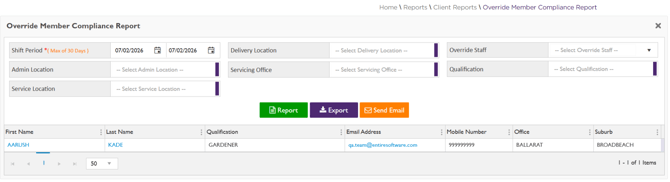
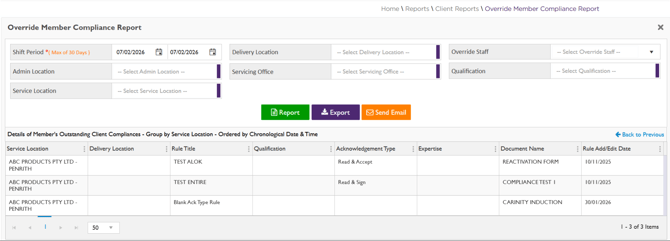
Issue resolved. The Override Member Compliance Report (Reports → Override Member Compliance Report) now correctly displays all shifts where member compliance has been overridden when assigning a shift using the Appoint Member pop-up.
Non-compliant members who were booked with an override by staff are now accurately captured and displayed in this report, ensuring clear visibility and accurate compliance tracking.
8. SEEK – Job Update and Job Expiry Working Correctly - ✅ Resolved - ✅ Resolved
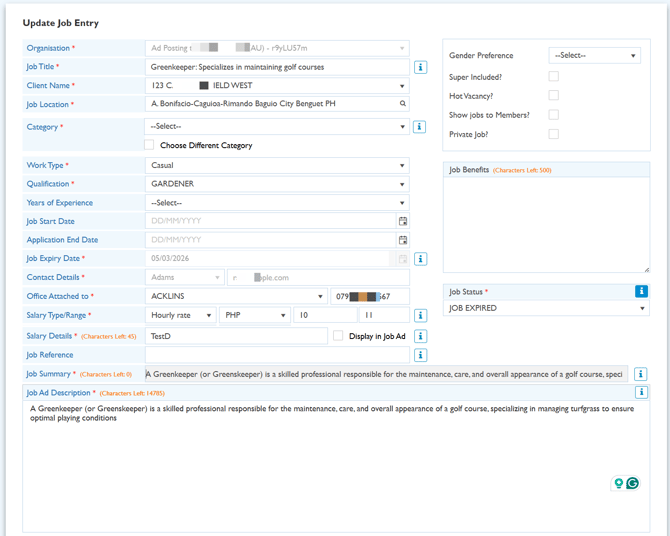
Issue resolved. For SEEK job postings, updating a job status to 'Job Expired' now correctly updates the corresponding job status on SEEK. In addition, when using Update Job Entry, the job status is also correctly saved as 'Job Expired'.
9. Incomplete Task Icon Displays Accurate Count of Outstanding Tasks - ✅ Resolved
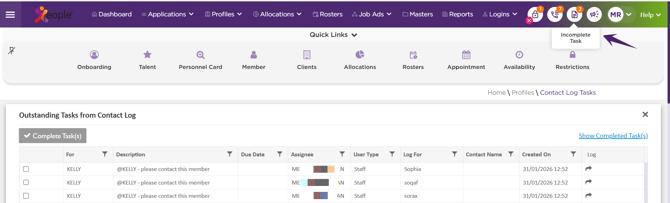
Issue Resolved. On the Staff Portal Home page, the Incomplete Task icon now accurately displays the total number of outstanding tasks. This provides staff with a clear and reliable view of pending tasks, helping them manage and prioritise tasks more effectively.
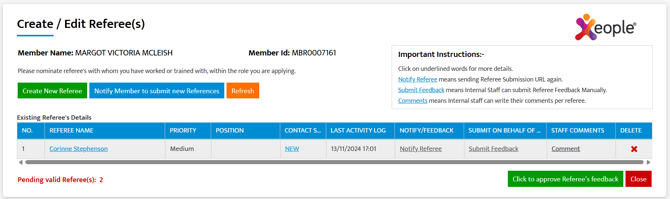
10. Reference Check Working Correctly Across All Platforms - ✅ Resolved
Issue resolved. The Reference Check process is now more reliable and secure across the Staff Portal, Applicant Portal, and Member App. Improvements have been implemented to enhance data handling, automatically clear stored data after 24 hours, and strengthen security through dynamic token generation.
These updates provide a more stable and seamless reference check experience across all platforms.
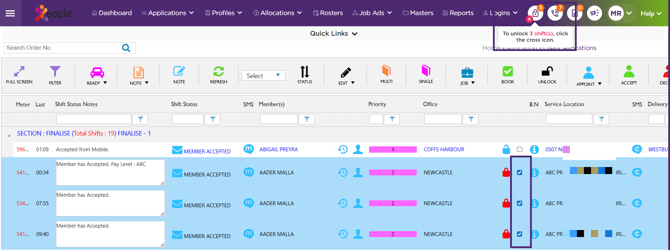
11. Unlock Shift Icon Now Displays Locked Shift Count in Staff Portal - ✅ Resolved
Issue resolved. In the Client Allocations section of the Staff Portal, the Unlock Shift icon on the right side of the menu bar now accurately displays the total count of locked shifts.
You can unlock all previously locked shifts by clicking the cross icon. Note that this icon and count are displayed only when shifts are locked.