
When accessing the application over public Wi-Fi, you may occasionally see a “Sorry, you have been blocked” message instead of the page you want to open.
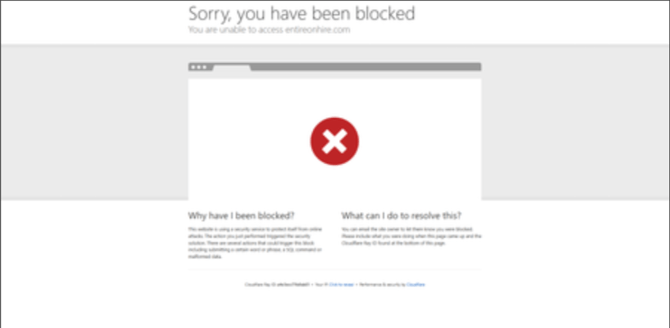
This may be triggered by Cloudflare, our content delivery network (CDN) provider, when its security checks identify potentially unsafe traffic associated with your connection.
This article explains what the message means and what to do next.
Why does this happen?
Cloudflare helps protect the application against potentially harmful requests. Its security checks may block a request based on factors such as the connection’s IP address reputation or traffic patterns.
If this happens while you are using public Wi-Fi, the connection may be contributing to the block. However, the message alone does not confirm that the Wi-Fi network is unsecured or that your device has been compromised. The specific reason requires investigation.
Please note: A Cloudflare blocked page does not, by itself, mean that your application account has been locked or that your login details are incorrect.
1. Try a trusted connection
If available and permitted by your organisation, disconnect from the public Wi-Fi and try accessing the application using a trusted home or office connection, or your mobile data hotspot.
2. Open the application again
Reopen your usual application URL on the trusted connection and check whether you can access it.
If the application opens on the alternative connection, let the support team know that the issue occurred on the original public Wi-Fi network. This helps narrow down the investigation but does not confirm the exact cause.
3. Contact Xeople Support if access remains blocked
Email support@xeople.com and include:
- A screenshot of the blocked page.
- The Cloudflare Ray ID, if displayed at the bottom of the page.
- The date and time of the issue, including your time zone.
- The application URL you were trying to access.
- What you were doing immediately before the message appeared.
- Whether you were using public Wi-Fi and whether the issue also occurs on a trusted connection.
Do not include passwords or sensitive candidate information in your report.
Important information- Do not disable your organisation’s security controls to try to regain access.
- Contact Xeople Support rather than Cloudflare directly for help with access to our application.
- Access on an alternative connection is a troubleshooting step, not a guaranteed resolution. If the block continues, provide the details above so the issue can be reviewed.