
1. Overview
Once a confirmed shift is permanently deleted, it cannot be restored from the backend by Support or Development.
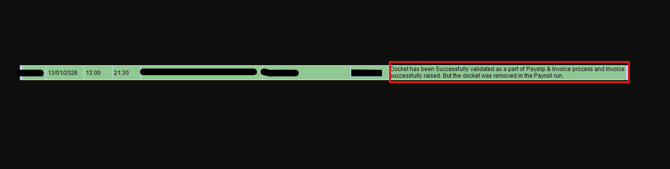
This includes cases where:
- The shift previously appeared in Confirm Shifts / Payroll / Payslips, and
- The shift has since been removed and no longer appears in those areas.
This is expected system behaviour.
2. What Happens When a Confirmed Shift Is Permanently Deleted?
When a confirmed shift is permanently deleted:
The shift record is fully removed from the database.
It will no longer appear in:
- Confirm Shifts
- Payroll processing screens
- Payslips
It will not generate:
- A payslip
- ABA file details for that member for that shift
If the shift was previously visible in an invoice preview or draft, that does not mean the pay was fully processed. If the shift record is gone, the system treats it as not processed for payroll.
3. Can Support or Dev Restore the Shift?
No.
Once logs confirm that the shift has been permanently deleted:
- Support cannot restore it.
- Development cannot retrieve or rebuild the original shift record from the backend.
- There is no “undelete” function for permanently deleted confirmed shifts.
The only option is to recreate the shift via an adjustment.
4. How Clients Should Proceed (Operational Workaround)
If the client still needs to pay the member:
Advise them to create an adjustment shift for the affected member:
- In the next pay run, or
- In an additional/adhoc pay run, depending on their payroll process.
Ensure they:
- Re-enter the correct date, hours, rates and client.
- Confirm the shift again so it flows into Payroll → Payslips → ABA as normal.
This adjustment shift will effectively replace the deleted shift for payroll and payslip purposes.