
Screening an Unsuccessful Applicant
-
Review the Applicant Details
-
Profile
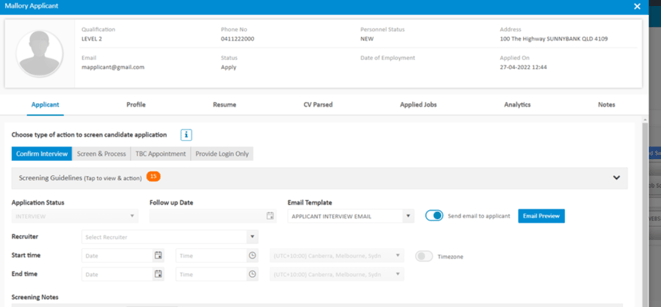
-
-
Change Select to “Screen and Process”
-
Select “Applicant Status”
-
NEVER EMPLOY
-
-
In Screening Notes state the reason why
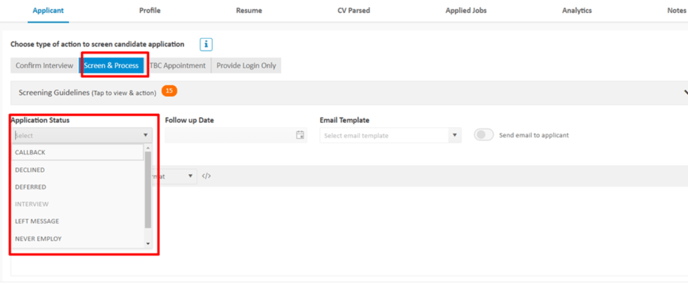
-
Click Confirm
Review the Applicant Details
Profile
Change Select to “Screen and Process”
Select “Applicant Status”
NEVER EMPLOY
In Screening Notes state the reason why
Click Confirm