Content
Create a Request or Restriction
Create Multiple Requests and Restrictions
Requests and Restrictions allow you to record specific requests or restrictions for Members and Service/Delivery Locations.
You can create a request or restriction for an individual member or create multiple requests and restrictions based on a Client Group or Location Function.
Create a Request or Restriction
To create a request or restriction for a Member:
-
Select the Restrictions bubble.

-
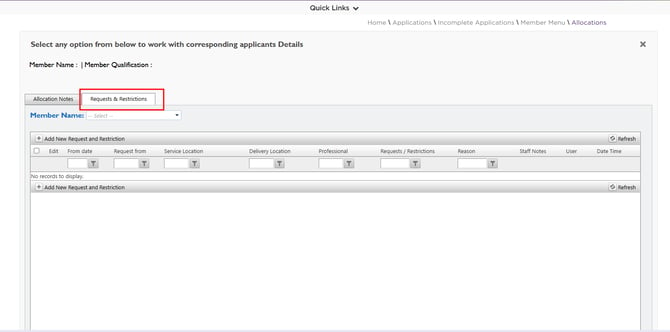
Select the Requests and Restrictions tab.
-
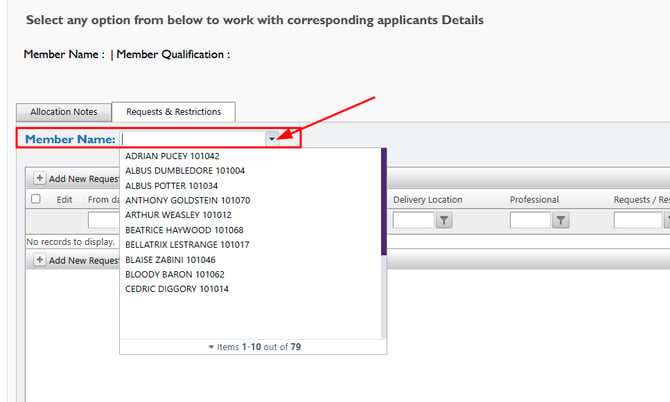
Search and select the required Member Name from the dropdown list.
-
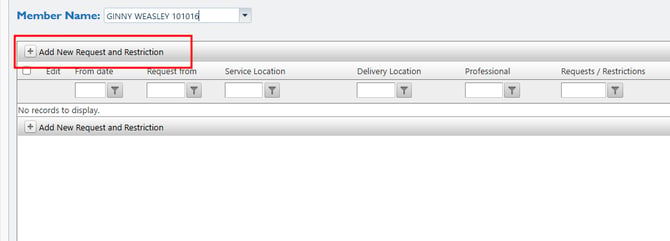
Select Add New Request and Restriction.
-
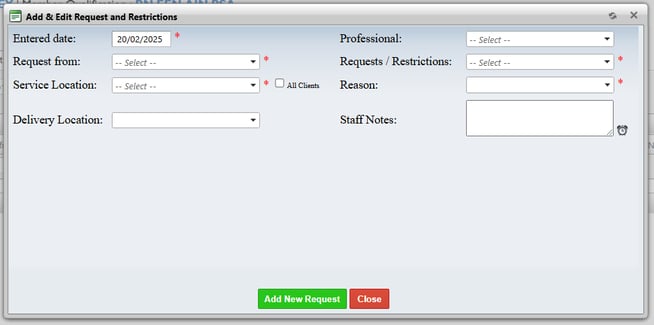
Enter the required details:
-
Select whether the entry is a Request or Restriction in the Requests/Restrictions field.
-
Select a Service Location/ Delivery Location - The Service Location/ Delivery Location list displays locations linked to the same State as the selected Member.
-
- To select a location in a different State:
- Select the All Clients checkbox.
- Select the required Service/ Delivery Location.
Note that selecting the All Clients checkbox does not apply the request or restriction to all clients. It only expands the list of available Service/Delivery Locations.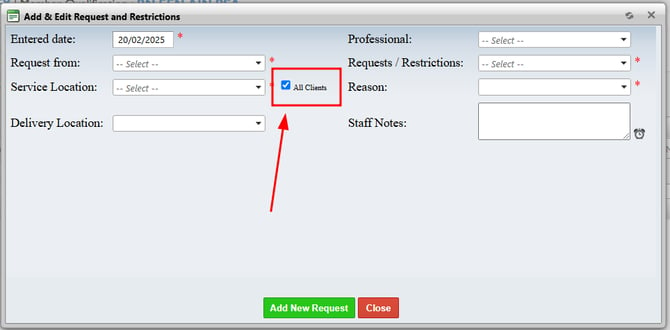
Leave the Delivery Location field blank if you want the request or restriction to apply to the member across the entire Service Location.
Create Multiple Requests and Restrictions
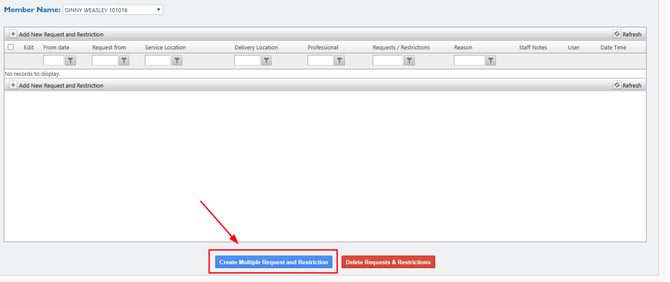
You can create multiple requests or restrictions in a single action:
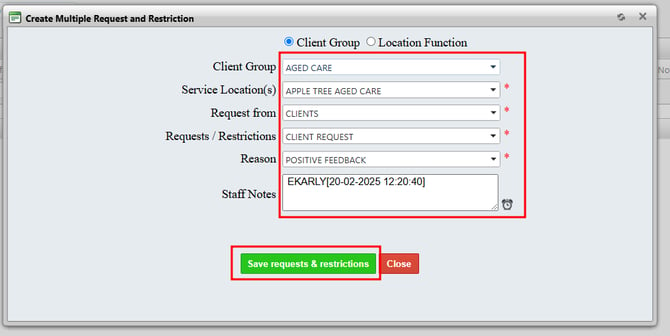
- Select Create Multiple Request and Restriction.
-
Select the required criteria. You can create restrictions based on:
- Client Group
- Location Function
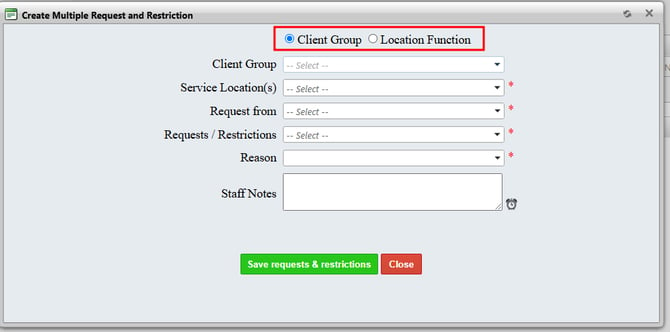
- Enter the required details. Select Save Requests and Restrictions.