
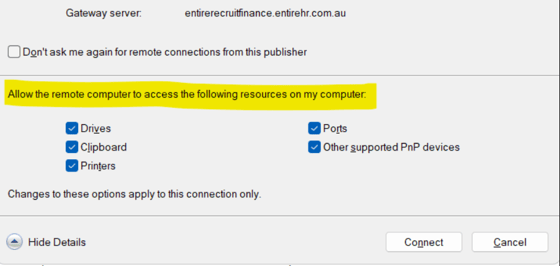
If you are experiencing issues accessing drives from the Finance Portal, please check that you have allowed the Remote Desktop to access this resource.
Please follow the troubleshooting steps below:
-
Redownload RDP file using the finance portal.
-
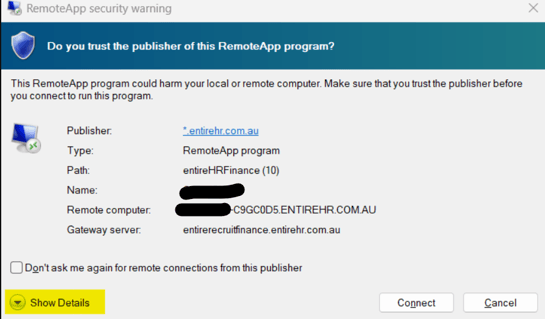
Before connecting to the remote desktop, select Show Details and ensure that DRIVES are ticked:
Connect to the finance portal and check that the drives are now visible.
If you continue to encounter issues, please contact us at support@xeople.com for further assistance.