
When sending your invoices, some invoices may not send and you may get an error as below.
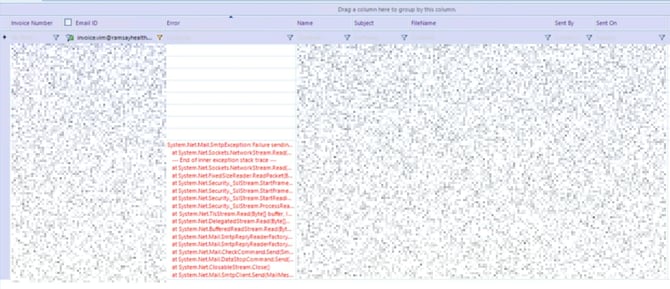 This will mean that your file for the invoice is over 5MB. The system can only send files less than 5MB. The invoices that fail to send within the system, you will need to send these to clients via outlook externally from the system.
To check to see if the file is above 5MB, please download the file.
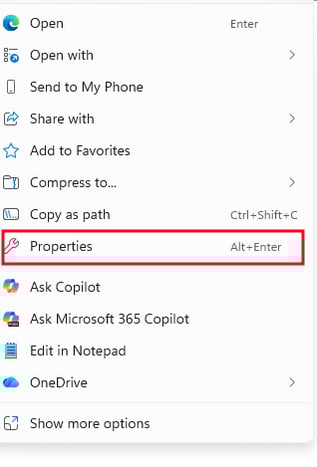
Once downloaded, right click the icon of the file and select properties and check the size of the file.
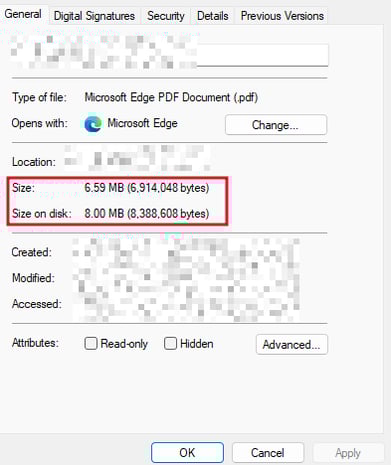
If you are getting an error and the file size is less than 5MB, please email suport@xeople.com and let them know of the issue