
If you receive the error message below, something went wrong with processing your request, when processing your payroll:
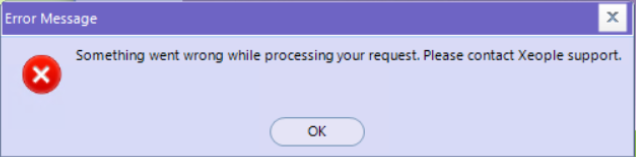
This is due to details missing on your SuperReady - Organisation & Payroll page on the staff portal.
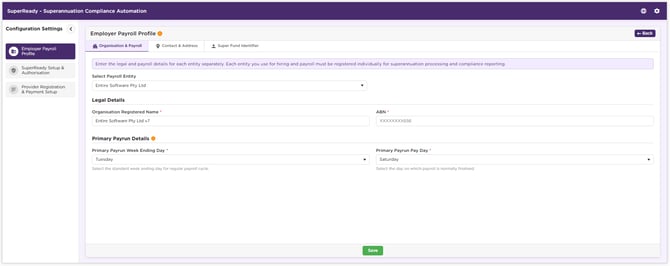
Please make the necessary updates by logging into the staff portal > Finance >SuperReady > Configuration Settings:

Enter the details as required in the page below for all entities:
Once completed and saved, please log out and back into the Finance Portal and you should be able to complete your pay run.
If you encounter any further issues, please contact support@xeople.com
This is due to details missing on your SuperReady - Organisation & Payroll page on the staff portal.
Please make the necessary updates by logging into the staff portal > Finance >SuperReady > Configuration Settings:
Enter the details as required in the page below for all entities:
Once completed and saved, please log out and back into the Finance Portal and you should be able to complete your pay run.
If you encounter any further issues, please contact support@xeople.com