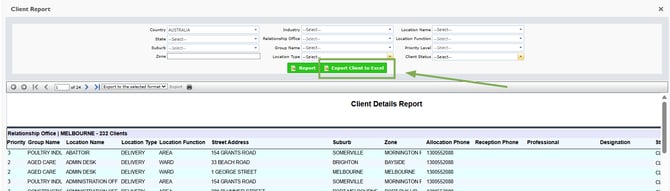
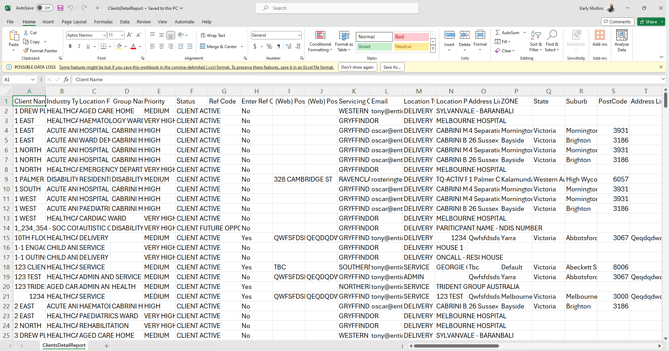
The Client Details Report provides client information such as:
- Client priority
- Group name
- Location name, type, and function
- Street address, suburb, zone
- Allocation and reception phone numbers
- Professional names, designations, and statuses
1. Click on Reports.

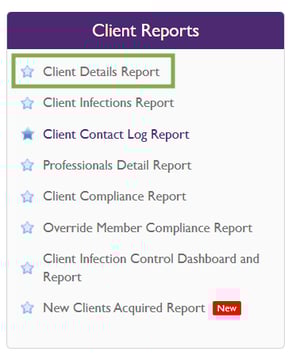
2. Select Client Detail Report under Client Reports.
3. Click on Report to fetch the Client Details Report
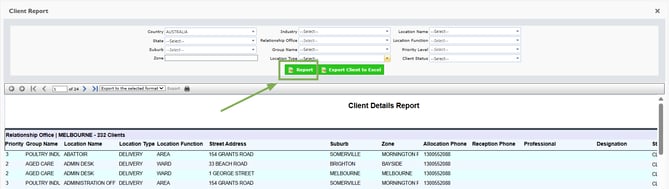
4. Then once the data has loaded below please then select the file type you would like to export to

Then click the little icon to finalise export to save
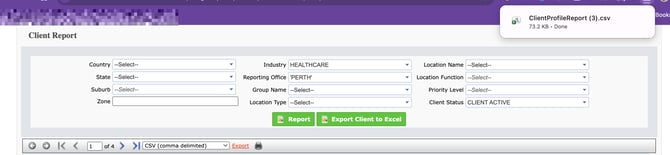
To export an unfiltered raw data set, click **Export Client to Excel**. This will immediately download all client data without applying any report filters.