
The Quick Search is a primary, on-screen filter that allows you to run fast, high-level queries without opening the full filter panel.
To use the Quick Search, follow the steps below:
- On the Calendar view, locate the Search Bar. It helps you instantly filter and display the most relevant shifts based on your search, removing any unrelated results.
- The Search Bar allows you to search based on your requirements, such as service location, delivery location, member name, role, speciality, and more.
- Click the red cross (X) to clear the search and reset the results.
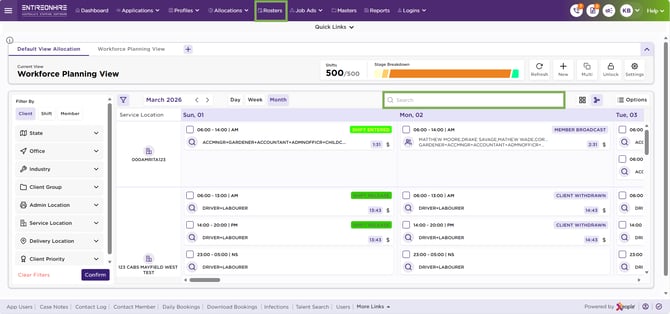
Calendar – Search Bar